PixVibe.
AI-assisted Photo Editing App UI UX Design Case Study

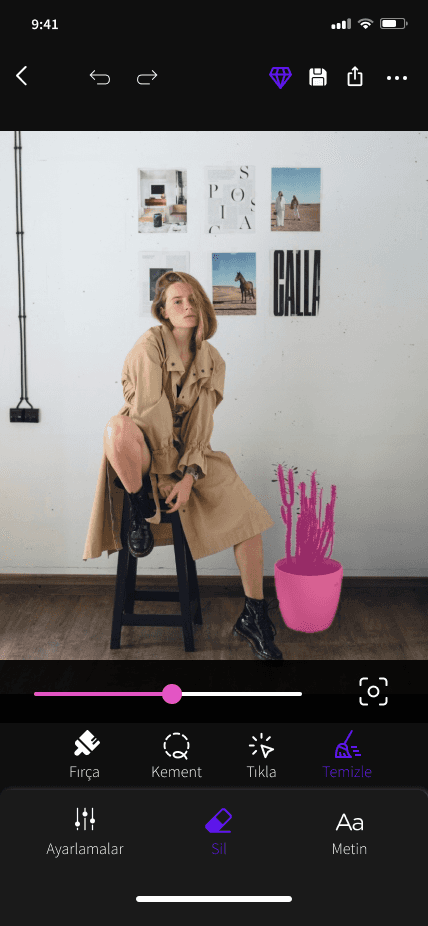
・object erasing from photos and videos
・expanding the photo frame
・ moving the selected object
Background
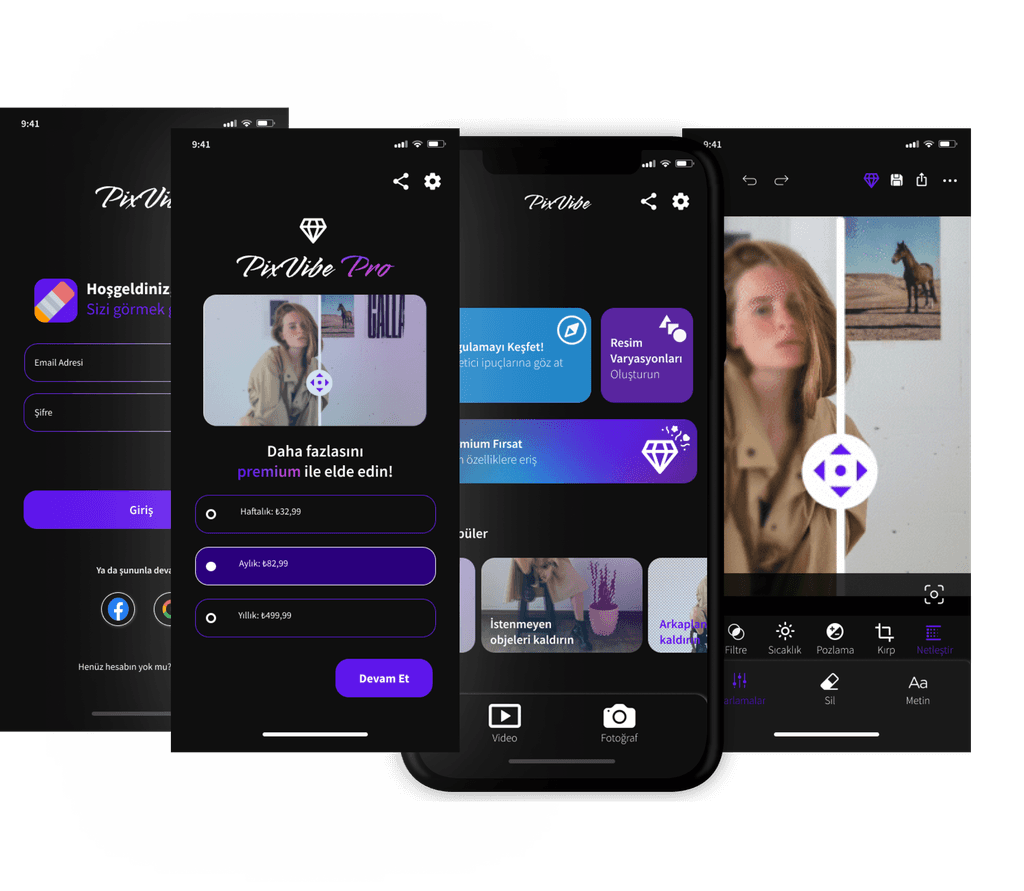
Pixvibe is an AI powered photo editing app. Some of the prominent features of the application are; delete objects from photos and videos, expand photo frame, move selected object.
Problem
The existing app has an outdated design and various usability issues. At the same time, there was an inconsistency in the language used in the application.
Solutions
The problem was addressed by completely redesigning the application, prioritizing enhancements in user-friendliness, smoother navigation, and seamless interface interactions. The revamped design incorporated a simplified workflow, specifically targeting the editting process. As a result, users were able to edit their photos swiftly and effortlessly, without encountering unnecessary steps or confusing menus. Consequently, the application became visually appealing and user-friendly.
Target Audience
Photography Enthusiasts: Individuals passionate about photography who seek powerful editing tools to enhance their photos.
Social Media Influencers: Creators who require high-quality photo editing capabilities to produce engaging content for their social media platforms.
Content Creators: Bloggers, vloggers, and podcasters who rely on photo editing software to create visually appealing content for their audience.
Students/Educators: Academic users requiring photo editing software for projects, presentations, and creative assignments.
Hobbyists: Individuals who enjoy editing photos and videos as a leisure activity or form of self-expression.
User Persona
Sarah is a social media influencer who values creativity, authenticity, and professionalism in her content. She seeks a photo editing app that not only offers advanced features but also streamlines her editing process, allowing her to focus on creating impactful content and growing her online presence. Pixvibe's user-friendly interface and powerful editing capabilities make it the ideal tool for Sarah to achieve her goals and stand out in the competitive world of social media influencing.
Personality
Age
Education
Status
Occupation
Location
28
Bachelor's Degree in Communications
Single
Social Media Influencer
Los Angeles
Creative
Social
Ambitious
Background
Sarah is a vibrant and creative individual who has found her niche in the world of social media. With a background in marketing and a keen eye for aesthetics, she has built a loyal following on platforms like Instagram and TikTok. Sarah's content primarily revolves around fashion, lifestyle, and travel. She collaborates with brands to showcase their products in a visually captivating way and relies heavily on photo editing to maintain a polished and cohesive feed.
Goals & Motivations
Grow her social media following and engagement.
Establish herself as a trusted authority in the fashion and lifestyle space.
Collaborate with more brands and secure partnerships.
Create visually stunning content that resonates with her audience.
Challenges
Balancing consistency and creativity in her content.
Staying updated with the latest editing trends and techniques.
Managing her time effectively between content creation, editing, and brand collaborations.
Finding a photo editing app that offers advanced features and is easy to use on mobile devices.
How Pixvibe Can Help Sarah
Advanced Editing Features: Pixvibe provides Sarah with a range of editing tools such as object removal, background enhancement, and color correction to elevate the quality of her photos.
User-Friendly Interface: The app's intuitive design and simplified workflow allow Sarah to edit her photos swiftly without compromising on quality.
Seamless Integration: Pixvibe seamlessly integrates with Sarah's existing workflow, enabling her to edit photos directly from her mobile device and share them across multiple social media platforms.
Stay Trendy: With regular updates and access to the latest editing features, Pixvibe ensures that Sarah can stay ahead of the curve and maintain a fresh and engaging feed for her followers.
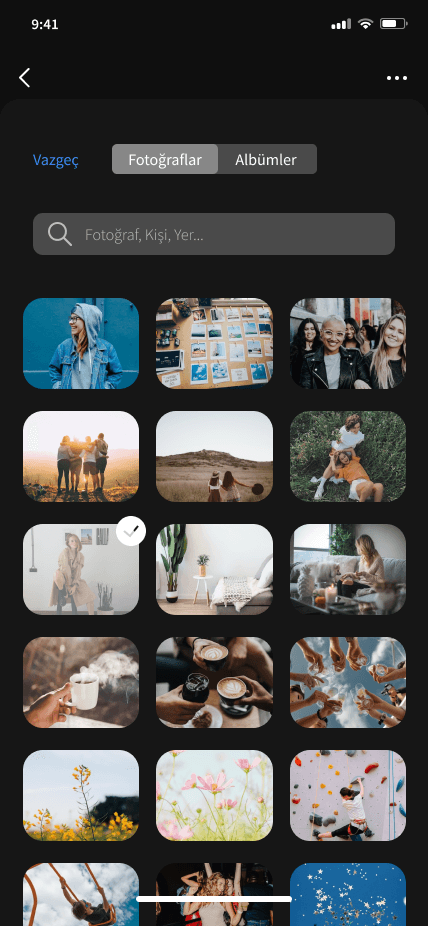
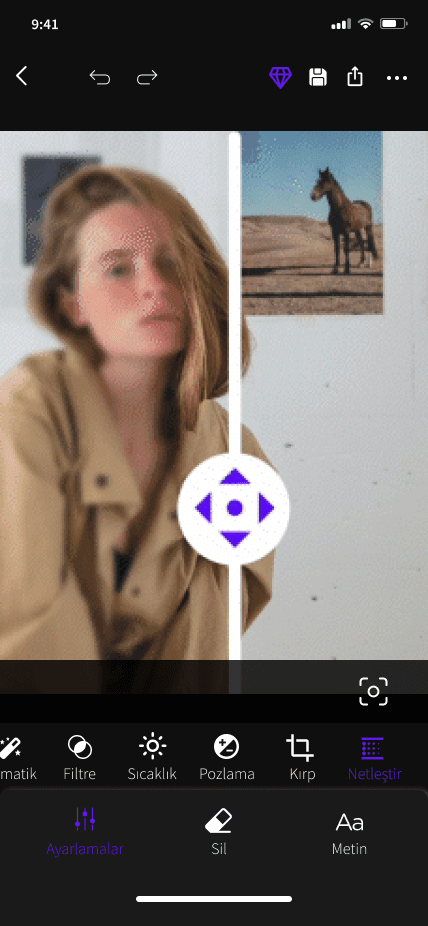
Hi-Fi Prototypes of Selected Pages


Tools
Figma
Adobe Photoshop
© Muge Akdas 2024